
How to Track a Phone Number: What Works and What Is a Scam
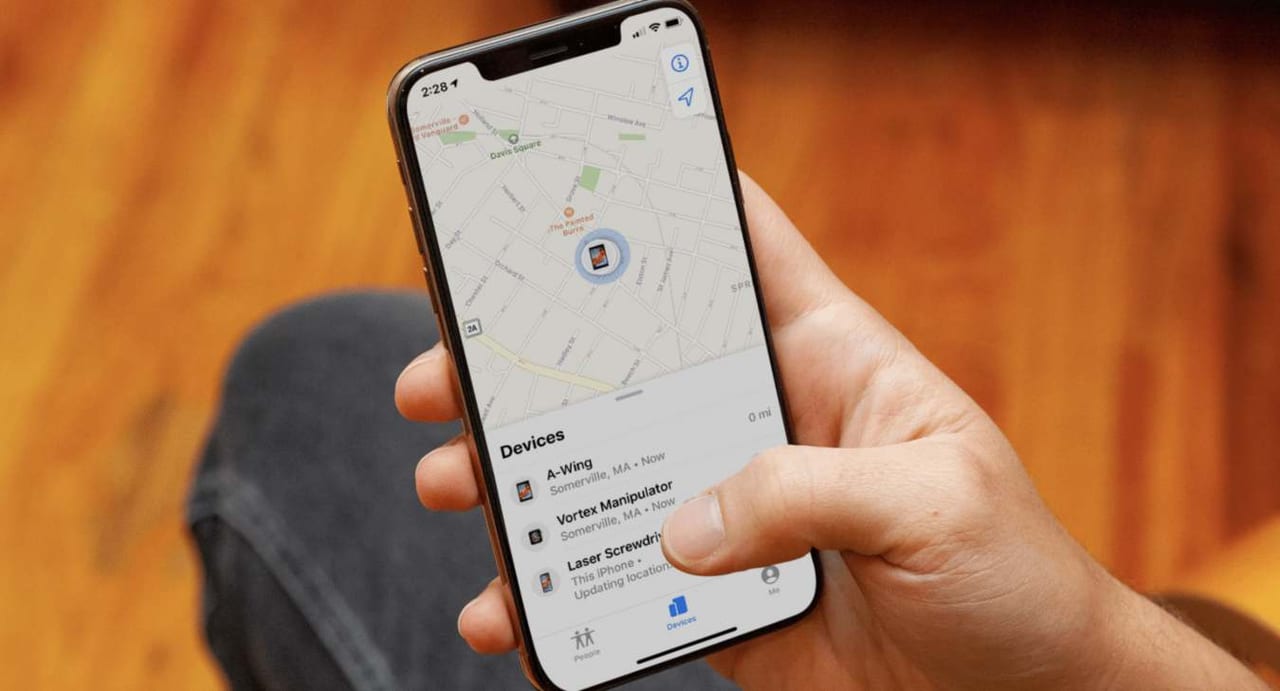
Start here, because it saves time: no website can take a phone number you type in and show you where that phone is. The sites that claim to — complete with a loading map and a satellite graphic — do not have access to the mobile network, and the network is the only thing that knows a handset’s location.
Location tracking works in exactly one way: software running on the phone reports its position, and someone with permission views that report. Everything genuine below is a version of that. Everything that skips it is a scam.
Finding a phone you own
iPhone and iPad
Open iCloud.com/find in any browser, or the Find My app on another Apple device, and sign in with the same Apple Account. You will see the device on a map and can play a sound, mark it lost, or erase it remotely. This only works if Find My was switched on beforehand — it is on by default, and it is worth confirming now rather than after a loss.
Android
Go to android.com/find, or open Find Hub (the app Google renamed from Find My Device). Sign in with the Google account on the phone to locate, ring, lock or wipe it.
Both services can now report an approximate last position even when a device is offline, using nearby devices in the crowd-sourced network to relay it.
Finding a phone belonging to someone else, with their agreement
All of these require the other person to set them up, and all of them show them that sharing is on. That visibility is the point, not a limitation.
- Apple Family Sharing. Family members share location in Find My. Each person controls it and can stop at any time.
- Google location sharing. In Google Maps, a person shares their location with chosen contacts, for a set period or indefinitely.
- Google Family Link. Built for parents of children, with the child’s device enrolled and the arrangement visible on it.
- Life360 and similar apps. Everyone installs the app and joins a circle. Useful for families; useless for tracking anyone who has not joined.
- Carrier family locate plans. Most large carriers sell one, and it works on the account holder’s own lines.
What a reverse phone lookup actually does
Reverse lookup services are real, but they answer a different question than most people arrive with. They tell you who a number is registered to and roughly where it was issued — not where the handset is now.
The area code and prefix indicate where the number was originally allocated. That is close to meaningless in practice: numbers move between carriers and follow people across the country for years. A number issued in Ohio tells you nothing about someone who moved to Texas a decade ago.
For identifying an unknown caller, this is genuinely useful. Free options include a plain search engine query with the number in quotation marks, which frequently turns up business listings, classified ads and scam-report forums. Caller-ID apps such as Truecaller work on crowd-sourced reports. Paid people-search services aggregate public records; they vary in accuracy and are usually harder to cancel than to join.
How the tracker scams work
The pattern is consistent enough to recognise instantly:
- You enter a number and a map animates, often showing a pin that moves.
- A result appears, then a gate: a survey, an app install, a “human verification” step or a trial subscription.
- Complete it and you get nothing, or a generic map of the area code’s city.
Enter a made-up number and most of these sites still produce a confident result. That single test exposes the whole category.
The paid variety is worse: a small trial fee that converts into a recurring charge, sold against a service that cannot do what it advertises.
Phone-monitoring apps, and why to be careful
Apps that report a phone’s location continuously, installed on someone else’s device, are a real product category. Installing one on an adult’s phone without their knowledge is illegal in most jurisdictions — typically as unlawful surveillance or interception — and it is not a grey area. Regulators have banned several of these companies outright and prosecuted others.
Parental monitoring of a minor’s device is the legitimate case, and Family Link and Apple’s Screen Time cover it openly, without hidden software.
If the phone is stolen, or someone is in danger
- Stolen phone: mark it lost in Find My or Find Hub, then report it to the police with the IMEI (on the box, or in your account records). Contact your carrier to block the device. Do not go to the location yourself.
- Someone in immediate danger: call emergency services. They can request location data from the carrier, which no consumer service can do.
- Missing person: the police can compel carrier records. This is the only route that reaches a phone whose owner has not shared their location.
FAQs
Can police track any phone number?
They can compel the carrier to produce location data with the appropriate legal authority. That authority is exactly what consumer services do not have.
Does a phone need to be on?
Generally yes for a live position, though both Apple and Google can now report a last known location for a device that is off or offline.
Can I track a number by texting it?
No. Sending a message reveals nothing about location. Links that log an IP address when clicked give a rough region at best, and sending one to deceive someone is its own problem.
Is tracking a family member legal?
With their knowledge and consent, yes. Your own minor children, yes. Secretly tracking an adult, including a partner, generally is not.