
Lost Your Phone With Your Passkeys? How to Sign In and Recover

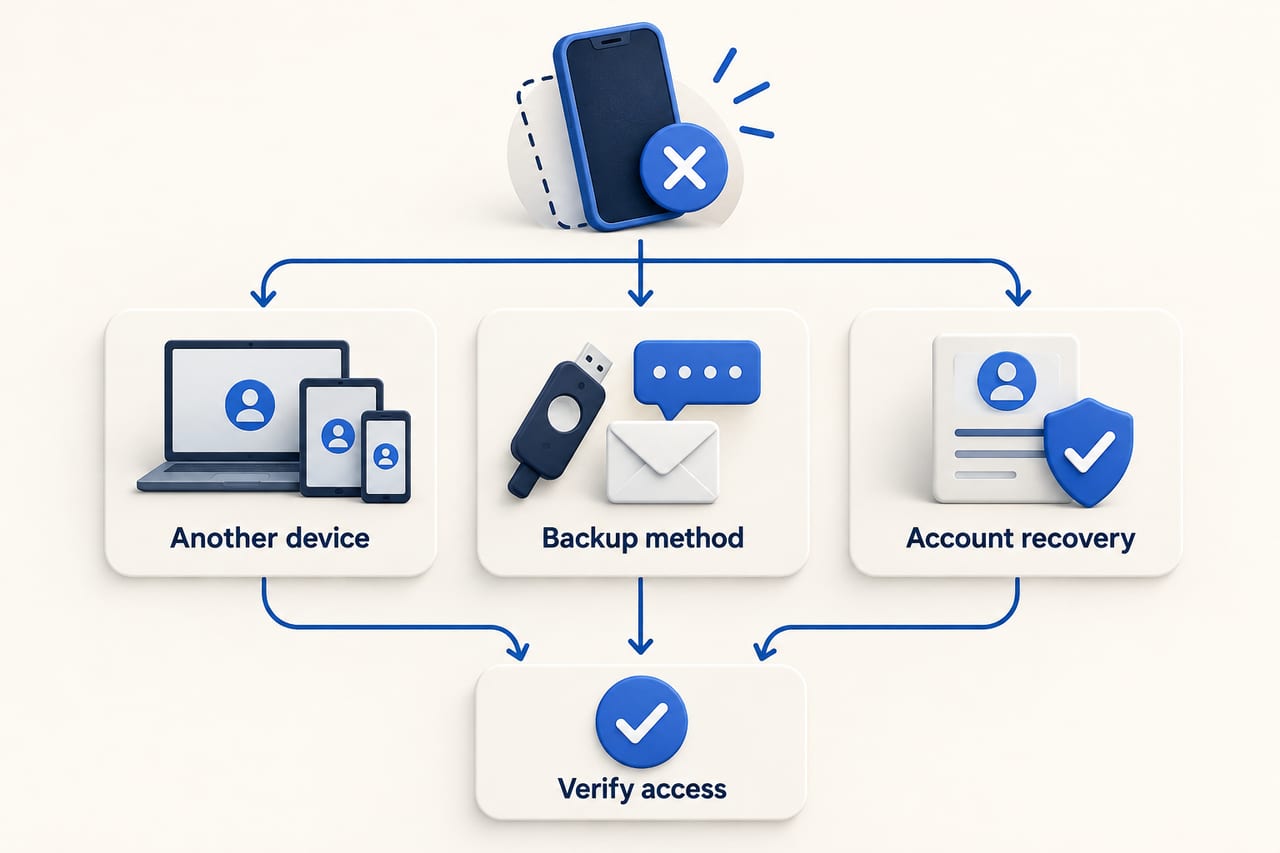
Quick answer: Losing the phone you used for passkeys does not always mean losing every account. A passkey may be synchronized through a credential manager, stored on another approved device, or tied only to the lost device. Start by identifying where that passkey was saved. Use an existing signed-in device or an account's legitimate recovery method, then remove the lost device's access and create a backup sign-in route.
The phrase “my passkey is on my phone” hides three different situations. An Apple iCloud Keychain passkey can sync to other approved Apple devices. A Google Account may have passkeys on more than one device. A hardware security key or other device-bound passkey can require a different recovery path. The website you are signing in to controls its own fallback choices, so no single reset button works everywhere.
First: secure the missing phone
If the device is lost or stolen, use your phone platform's official find-and-secure service from another trusted device. Lock it, review account sessions and follow the platform's process for marking it lost. Do not click recovery links in unsolicited messages that claim to have found it. Preserve access to your phone number and recovery email where possible, because they may be needed to regain your credential manager or individual accounts.
If you have another signed-in device
Try signing in from a device that already has your passkey manager and account. Apple's iCloud Keychain guide explains that passwords and passkeys stay current across approved devices. If your passkeys were synced there, an approved iPad or Mac may still let you sign in. On a replacement Apple device, sign in to the same Apple Account and follow the prompts to turn on Keychain; Apple may request approval from another device or its recovery flow.
For a Google Account, the passkey help page describes signing in with a passkey on an accessible device and checking passkeys under Security & sign-in. Once inside, review the lost phone's sessions. Google distinguishes removing a passkey you created from signing out a lost Android device that generated one automatically, so use the option that matches your account.
If the lost phone was your only passkey device
On the sign-in screen, look for “Try another way,” a password option, a backup code, a security key or the service's recovery process. Google explicitly says password sign-in can still be available after a passkey is created. Other services may offer different fallbacks or none at all. Follow that site's official recovery page; nobody can extract a lost device-bound private key for you through a support chat.
If all Apple devices are gone, Apple documents recovery of iCloud Keychain using a recovery contact, when configured, or a protected escrow flow that requires Apple Account authentication, a trusted-number SMS and the device passcode. These prerequisites explain why setting up recovery before a loss matters. Recovery may take time and may fail if you no longer control the required factors.
After you regain access
- Review devices and sessions. Sign out the missing phone through the account provider's security page.
- Remove credentials where appropriate. Follow the provider's instructions for deleting a passkey associated with the lost device. Verify the correct device before removing anything.
- Create a new passkey. Use your replacement phone or a trusted credential manager, then test it from a separate browser.
- Add a second recovery route. Depending on the service, this might be another approved device, a physical security key, backup codes or a recovery contact.
- Store backup codes safely. Keep them outside the device they are meant to replace, and do not email or message them to strangers.
A passkey on a shared computer is a different risk. Google's guidance warns against creating one on a shared device. If you did, remove it from the account and from the credential manager on that computer if you can access it.
Frequently asked questions
Are passkeys automatically backed up?
No universal rule applies. Some are synchronized through a credential manager; others are bound to a device or hardware key. Check where you saved the passkey.
Can someone use the passkey on my stolen phone?
Passkeys normally require the device's unlock method. Even so, secure the phone, review sessions and remove the missing device through official account controls.
Should I delete my only remaining passkey?
First confirm another sign-in route works. Removing the sole working credential can make recovery harder.
Sources and reporting notes
Checked October 3, 2026: Google Account passkey guidance; Apple iCloud Keychain recovery guidance; Apple passkeys on iPhone. Individual websites set their own recovery policies.