
Instagram Repost vs Collab: Which One Should You Use?

Use an Instagram Repost to recommend someone else's public content. Use a Collab post when you and another account are co-authors of the same piece. A native Repost shares the original with credit; an accepted Collab gives the post a shared publishing relationship. Neither feature guarantees that every follower will see it.
The distinction became more important after Instagram introduced native Reposts in August 2025. Older tutorials often use “repost” to mean downloading a clip and uploading a separate copy. That is a different workflow. Before choosing a feature, decide whether you are recommending existing work, creating something together or simply sharing a quick update.
Instagram Repost versus Collab at a glance
| Question | Native Repost | Collab post |
|---|---|---|
| What is the relationship? | You recommend an existing public post or Reel. | The accounts co-author one post or Reel. |
| Who created the original? | The original account keeps the credit. | The publishing account invites a collaborator. |
| Where does it appear on profiles? | In a separate Reposts tab. | On participating profile grids after acceptance. |
| What needs coordination? | You choose content relevant to your audience. | The collaborator must accept the invitation. |
| Best fit | Recommendations and amplification. | Joint projects and shared authorship. |
These are the core distinctions in Meta's native Reposts announcement and its explanation of Collabs. Button placement and account-specific options can change, so use the purpose of the feature as your starting point.
When a Repost makes sense
Choose a Repost when a useful public post already exists and you want your audience to discover it. Instagram credits the original account and can recommend the reposted content to your friends and followers. You can add a short note explaining why you are sharing it.
For example, imagine a designer publishes a clear animation about lighting a scene. A studio that enjoyed the explanation can recommend that original. The studio does not need to present itself as a co-author or recreate the animation to explain why the lesson matters.
The editorial choice still matters. A stream of unrelated recommendations gives visitors little reason to understand your account's purpose. Choose pieces that match a recurring interest, add useful context where appropriate and leave room for your own original work.
When a Collab post makes sense
Choose a Collab when two accounts genuinely worked on the piece or are presenting the project together. The originating account invites the other account. Once accepted, the shared post appears on the collaborators' profile grids and can reach their audiences.
A photographer and a maker could use a Collab for a joint product shoot. A teacher and a visual animator could co-author an explanation they developed together. In both cases, plan the caption, assets and publishing responsibilities before uploading.
The invitation is part of the workflow, not a formality. Agree who publishes the original and make time for the other account to review and accept. An ordinary mention or tag does not automatically create the same co-author relationship.
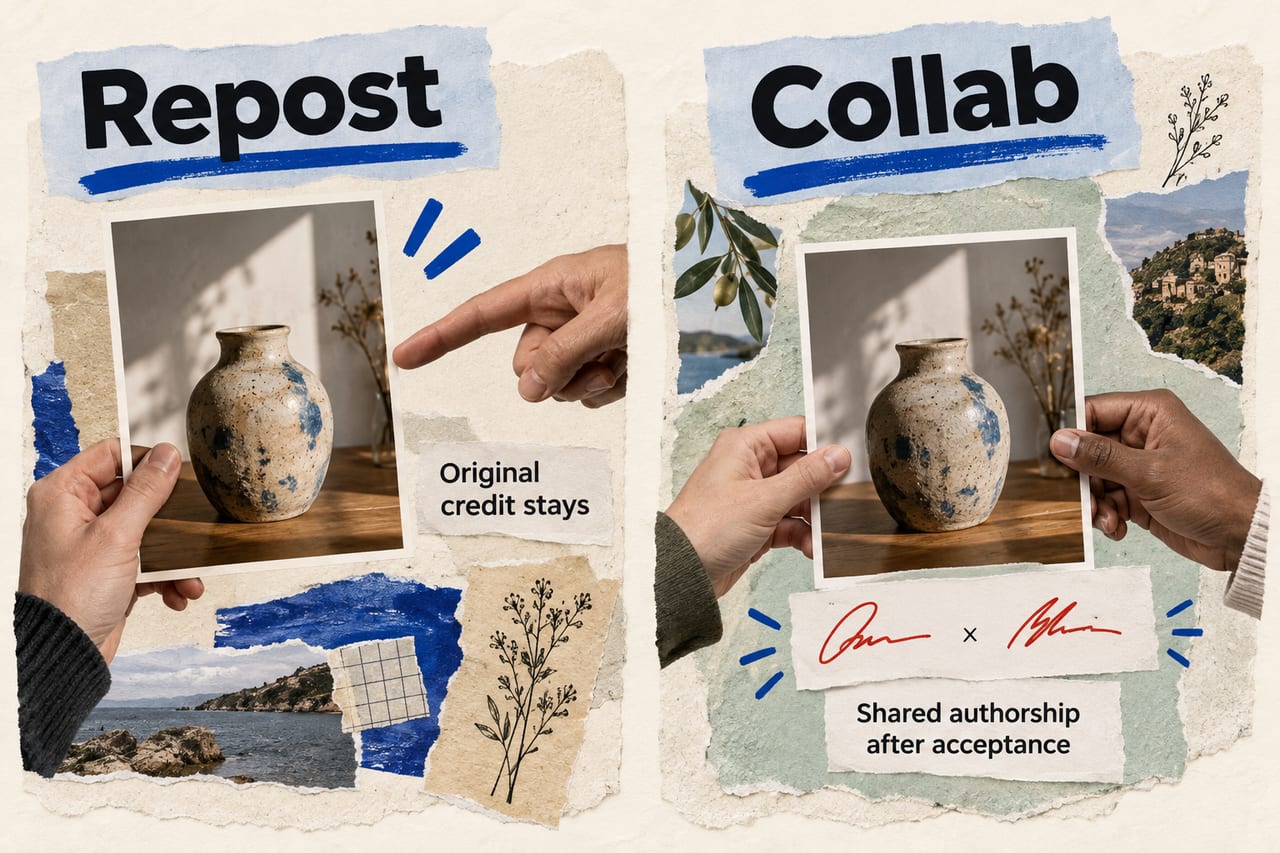
Three different meanings of “repost”
Native Repost
This is Instagram's built-in recommendation feature for public feed posts and Reels. It retains the original creator's credit and has a dedicated Reposts area on your profile. It is the feature compared with Collabs in this guide.
Sharing to a Story
A Story share is useful for a timely announcement or a quick recommendation to people watching your Stories. It is a separate format from native Reposts and joint authorship. Do not assume that a tutorial about sharing to Stories describes how the Reposts tab works.
Downloading and uploading a copy
A re-upload is a separate publication. It can lose context and split attention between copies. Before using someone else's file in your own post, establish permission and attribution. The presence of a share feature does not give you blanket permission to reuse the file in an advertisement or another project.
A practical decision guide for creators and small brands
Start with a sentence describing your intent. “I want to recommend this useful post” points toward Repost. “We made this together” points toward Collab. “I need to tell people that the event is tomorrow” may be better served by a Story or an original update.
Then check whether the content fits the audience. A joint post between unrelated accounts can confuse both groups. A modest but relevant partner can be more useful than a large account with no clear connection to the subject. Treat audience fit as a hypothesis to test, rather than assuming the combined follower count predicts views.
Finally, agree on the outcome. A local event needs useful event information and interested attendees. A tutorial needs people who watch, understand and save it. Pick a measure connected to that purpose before posting.
Which one is better for reach?
Neither wins automatically. A Repost can introduce an existing creator's work to people who do not already follow that creator. A Collab can put joint work in front of the participating accounts' audiences. The eventual result depends on the piece, audience interest, recommendation eligibility and distribution.
You also cannot fairly compare a product launch Collab with an unrelated Repost and conclude that the feature caused the difference. If you want to learn what works for your account, compare posts with similar subjects and intended audiences over the same observation window. Keep notes about timing and promotion.
For a small test, record the format, topic, partner or original creator, posting date and the metrics available in your own account. Review the results after a consistent interval. One unusually successful post is a useful lead for another test, not a rule for every future post. If you are testing an original Reel before wider sharing, our Trial Reels testing guide covers that separate experiment.
Common mistakes to avoid
- Calling a tag a Collab. Tagging someone and inviting a co-author serve different purposes. Confirm that the invitation was accepted.
- Calling a downloaded copy a native Repost. They have different publishing relationships and credit trails.
- Choosing a partner only for follower count. Explain why both audiences would care about the same piece.
- Expecting guaranteed distribution. A publishing feature creates an opportunity for discovery, not a fixed number of views.
- Ignoring the original context. A recommendation should make sense with the creator's actual message, especially when your note adds an interpretation.
Common questions
Does a Repost make me a co-author?
No. It recommends the original creator's content. Use an accepted Collab invitation when the publishing relationship should identify you as a collaborator.
Why do I not see the Repost option?
First check that you are looking at a public feed post or Reel. Try a different eligible public post and check that your app is current. Availability and content settings can affect which controls appear. Do not assume every missing button is an account penalty.
Should I use both features for a project?
You can plan joint authorship for the main piece and ask other people to recommend that original where appropriate. Give each participant a clear role. The strongest reason to share remains the usefulness of the post to the person seeing it.