
GitHub Copilot Computer Use: Setup, Supported Apps and Permissions

GitHub Copilot can now operate desktop applications in public preview. GitHub announced computer use on October 1, 2026 for Copilot CLI and the Copilot app on macOS and Windows. It can inspect an app, click controls, type, scroll and move between windows. That makes it useful for a task trapped in a visual interface, such as updating a slide deck or entering information in an older business application. It does not mean every Copilot session automatically gets control of your computer: the feature starts disabled, and tool permissions still apply.
If you searched for “GitHub Copilot computer use,” the first decisions are where to switch it on, what it can actually do, and how much access to grant. This guide separates GitHub's documented behavior from sensible operating precautions.
GitHub Copilot computer use at a glance
| Question | Answer |
|---|---|
| What launched? | Public-preview desktop interaction for Copilot CLI and the Copilot app. |
| Where does it run? | macOS and Windows, according to GitHub's launch and documentation. |
| Is it enabled automatically? | No. GitHub says computer use is disabled by default. |
| What can it do? | Read accessible and visual context; click, type, press keys, scroll, drag and cross between apps. |
| Can an organization turn it off? | Yes. Managed settings can disable computer use. |
How to turn on computer use in Copilot CLI
Open a Copilot CLI session and run /computer on. Use /computer show to check the current state, and /computer off when you are finished. GitHub lists those commands in its October 1 release note. If your organization has disabled the feature, switching it on locally cannot override that policy.
Then describe an outcome, the applications involved, and any limits. For example: “Read the totals in this expense window and put them in a draft spreadsheet. Stop before submitting either form.” That is more useful than “handle my expenses,” because it names the visible sources, the destination and the point where a human should inspect the result.
How to turn it on in the Copilot app
In the GitHub Copilot app, open Settings → Computer Use → Enable Computer Use. GitHub also documents /computer on in the app. On macOS, the setup may ask you to grant Accessibility permission to interact with controls and Screen Recording permission to inspect windows when visual context is needed. Grant the permissions only after confirming the app and task you intend to use.
The feature is a public preview, so menus and behavior may change. If you do not see the toggle, check the current GitHub documentation, your installed version and any organization policy before assuming a command is broken.
What is computer use good for?
The strongest use case is a workflow with no clean programmatic route. GitHub names legacy software, GUI-only tools, slide editing and moving information between applications. Copilot can use an operating system accessibility tree or screenshots when it needs visual context, then choose interaction tools as it works. You can review the activity in the session.
That is different from a coding agent editing repository files directly. If a task has an API, filesystem command or purpose-built tool, GitHub's own guidance says that route typically provides more structured information and more predictable results. Computer use is valuable when the interface itself is the obstacle. It may be slower or less repeatable than a direct integration, especially when dialogs move or an application changes layout.
Permissions: session approval versus “always allow”
When prompted for an application, GitHub says you can allow access for the current session, save an approval for future sessions, or deny access. An Always allow choice is stored locally and applies to both Copilot CLI and the Copilot app on the same computer. You can remove saved app approvals from the app's settings, although that does not withdraw access already granted in a running session. Tool rules that deny access take precedence over saved approval.
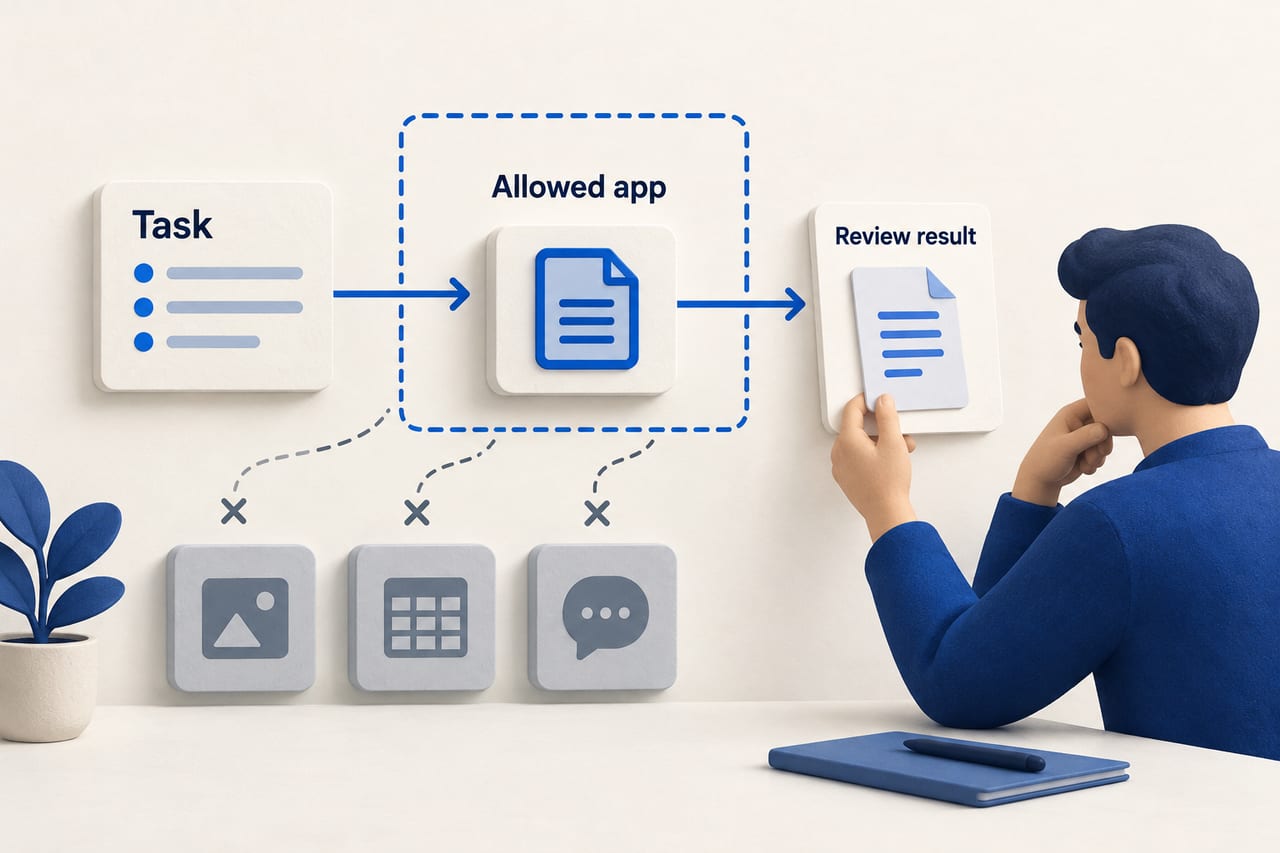
For a first run, session-only permission is usually easier to audit. Give access to the smallest set of applications needed for the task, review the proposed action in context, and avoid leaving sensitive financial or administrative software broadly approved. GitHub cautions that visible windows may contain other people's information and that unexpected on-screen content can influence an agent's behavior.
A safe first workflow to test
- Choose a reversible task. Try summarizing notifications or preparing a draft presentation before asking for a final submission.
- State the boundary. Name the source and destination apps and say what action requires your review.
- Watch the trace. Confirm the agent is reading the intended window and putting content in the right field.
- Check the result. Compare important numbers and links against the source; a successful click is not proof the right data moved.
- Stop or reset if needed. GitHub documents Stop or
Escin the app and doubleEscin CLI for interrupting an active operation.
Visual interfaces are stateful. A pop-up, delayed load or shifted button can make a repeated action unsafe. That is why a narrow first run tells you more about the feature than a broad request to “manage everything.”
Frequently asked questions
Is GitHub Copilot computer use available in VS Code?
GitHub's October 1 announcement names Copilot CLI and the standalone Copilot app on macOS and Windows. It does not name VS Code as a computer-use surface in that release. Check the current product documentation for any later expansion.
Does Copilot ask before every click?
No such blanket guarantee appears in GitHub's docs. Computer use is disabled by default, and permissions determine whether it asks before controlling an application. Once access is granted, an agent can perform multiple interactions during the session. Review tool activity and interrupt when necessary.
Can I take back an “always allow” decision?
Yes. In the app you can remove a saved application's approval for future sessions. GitHub says that removal does not revoke access already granted in an active session.
Does it work on Linux?
GitHub's initial public-preview announcement specifies macOS and Windows. It does not list Linux support.
Sources and reporting notes
Checked October 3, 2026 against GitHub's release note and its computer-use documentation. The sample task and cautious permission advice are editorial guidance, not a claim that GitHub requires that workflow.