How to make a sound on tiktok? (Have your own sound)

Many people used TikTok during the previous years as a burst of great eliciting laughter. There you can find pretty funny videos and effects to make delightful videos and draw new followers.
But after using the same old effects for a while, you might become tired of them. The amazing feature of TikTok is that you can make your sound in TikTok. Continue reading to learn how to make a sound on tiktok.
How to make a sound on tiktok?
When you choose TikTok to post your videos, there are two options for music or audio by default. You can select a piece of music from TikTok’s on-app library or upload it with the original audio track. But if you want to use any other music, you have to do it in a more complicated way. Here, I answer the question of how do you make a sound on tiktok step by step.- Make your sound
- Open the TikTok app on your device.
- Choose the plus sign below the page.

- Select the red switch on the next screen to record your video. Also, you can use a previously recorded video rather than a new recording.
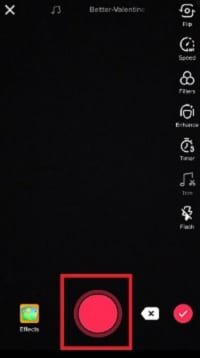
- When you have chosen a video for the voiceover, it is time to tap on Next at the top of your screen.
- Click on Voiceover. You can see this icon above some tiktok Filters.
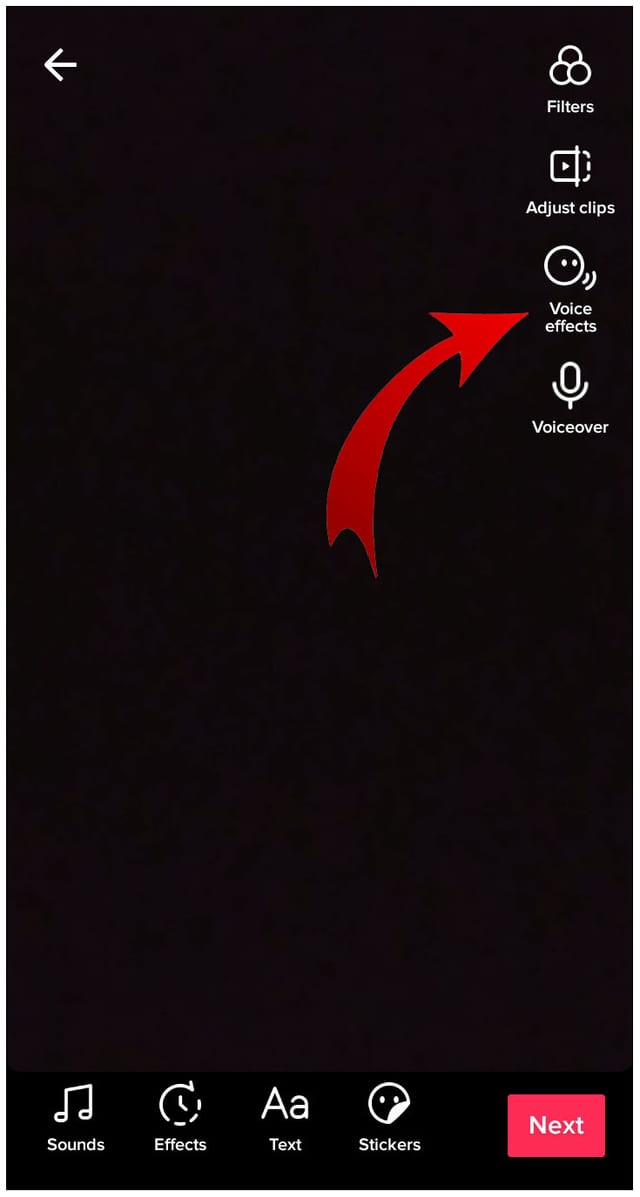
- On the next screen, you will find a record button, choose it and start recording the audio. There are two choices, like recording your voiceover for the whole video or making a voiceover for only a part of the video. keep the button pressed while recording.
- You can remove the original sound from the video by unchecking the Keep original sound box below the page. But if you want to keep that sound in the background, save the tick on the box checked.
- Choose Save to save your voiceover.
- Use a Third-Party App
- Choose your favorite app and download it from the store.
- Run it on your device and select the Video on the homepage.
- Select a video you like to edit and click on the checkmark below.
- There, you will see a taskbar at the bottom. Choose the note icon, says Music.
- Choose each type of audio you want to add, like racks, effects, or record.
- If you want to add a song from your phone, go through Tracks.
- You can choose different songs among the featured tracks in InShot, or tap on My Music and go to your music library.
- Choose your favorite song for the video.
- The app will automatically add the song to the beginning of the video. But you can move it anywhere by touching the slider.
- When you finish, choose the checkmark and save the video. Also, you can preview it before saving it to your phone.
How to add voiceover to a sound on TikTok
You can find a Voiceover tool as a part of TikTok’s video editing suite in the dropdown menu on the right-hand side of the editing screen. Here, I will tell you how to make a sound on TikTok using a voiceover.- First of all, you have to record your TikTok video, as usual, then go to the edit screen.
- On the editing screen, you will see the ‘Voiceover’ button in the corner and tap the microphone icon.
- Choose a section of the video you want to add your voiceover, then tap the ‘Record’ button to start.
- After you record your voiceover, you can improve it with different voice effects. Choose the ‘Voice effects’ button above the ‘Voiceover’ button and find a range of effects. You can use more than one effect and make powerful results.
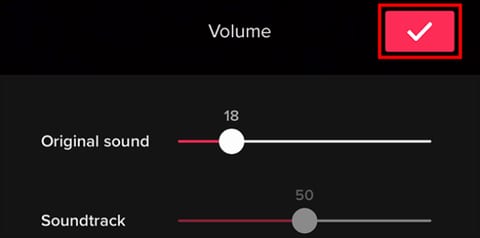
- After you finished recording and editing your voiceover, it is time to adjust the volume using the ‘Volume’ tool in the same dropdown menu and move the ‘Original sound’ toggle.